

It's finally here. Hyper Notepad 3.0 is the biggest update since launch, and honestly, I'm really proud of this one. For those who don't know me, I'm Jay, the developer behind Hyper Notepad. Every corner of the product has been touched, tweaked, and polished. Let me walk you through it.
Refreshed brand
The Hyper Notepad you know and love hasn't gone anywhere. It just looks a whole lot better now. The logo has been refined, typography sizes and weights have been dialled in across the board, and every single page has been revisited. The editor, the marketing pages, the shared note experience. All of it feels sharper, cleaner, and more intentional. Same DNA, better in every way.
Introducing Premium
I'm excited to say Hyper Notepad now has a premium tier. Everything you already know and use is still completely free, and that's not going anywhere.
Premium gives you a set of brand new features on top of everything you already get. But here's what makes it special. Hyper Notepad doesn't have investors or corporate backers. It's just me and you. When you subscribe to Premium, you're not paying some faceless company. You're directly funding the future of a product you use. Every subscription goes straight into making Hyper Notepad better for everyone. And as a thank you, you'll get a completely ad-free experience too.
If you love what Hyper Notepad is becoming, Premium is the best way to be part of that journey.
Here's what you get:
No Ads
No banners, no distractions, just your notes. Premium gives you a completely clean writing space so you can focus on what matters.
Image Uploads
You can now embed images directly into your notes. Drag and drop screenshots, diagrams, or photos to add visual context without leaving the editor. It's one of those features that once you have it, you wonder how you managed without it.
Tables
Add and manage tables with full controls. Insert rows, remove columns, and organise data without reaching for a spreadsheet. Simple, clean, and right where you need it.
Live Calculations
This one's fun. Type 5+5= and the answer fills itself in. Inline maths that updates as you type. Quick calculations without leaving your note.
Themes
Choose from a range of beautiful themes to change the look and feel of your notepad. Light, dark, warm, cool. Pick whatever suits your mood and make it yours.
Custom Theme Builder
Want to go even further? Design a completely personalised theme by choosing your own colours. Make Hyper Notepad feel like home.
Full width editor
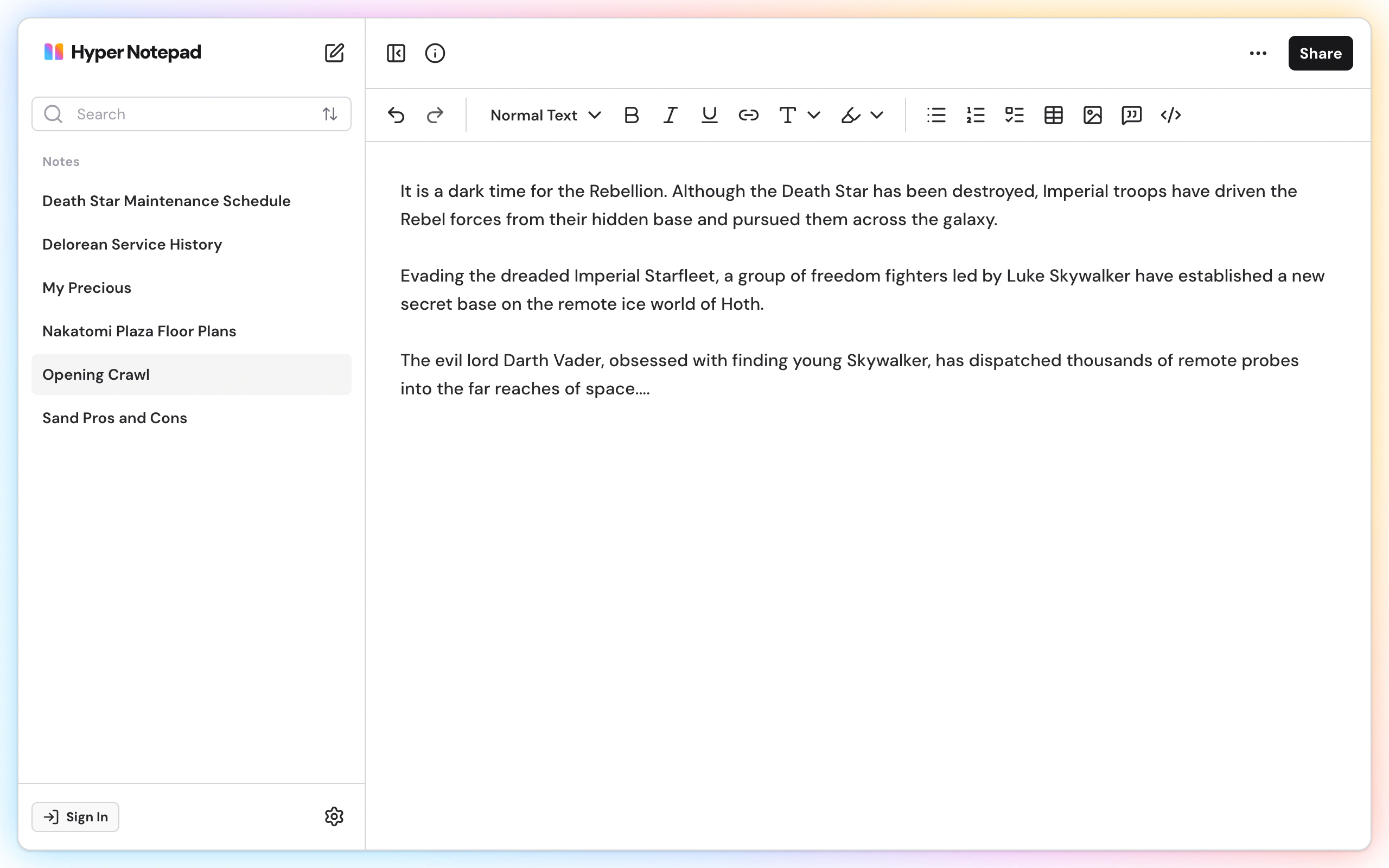
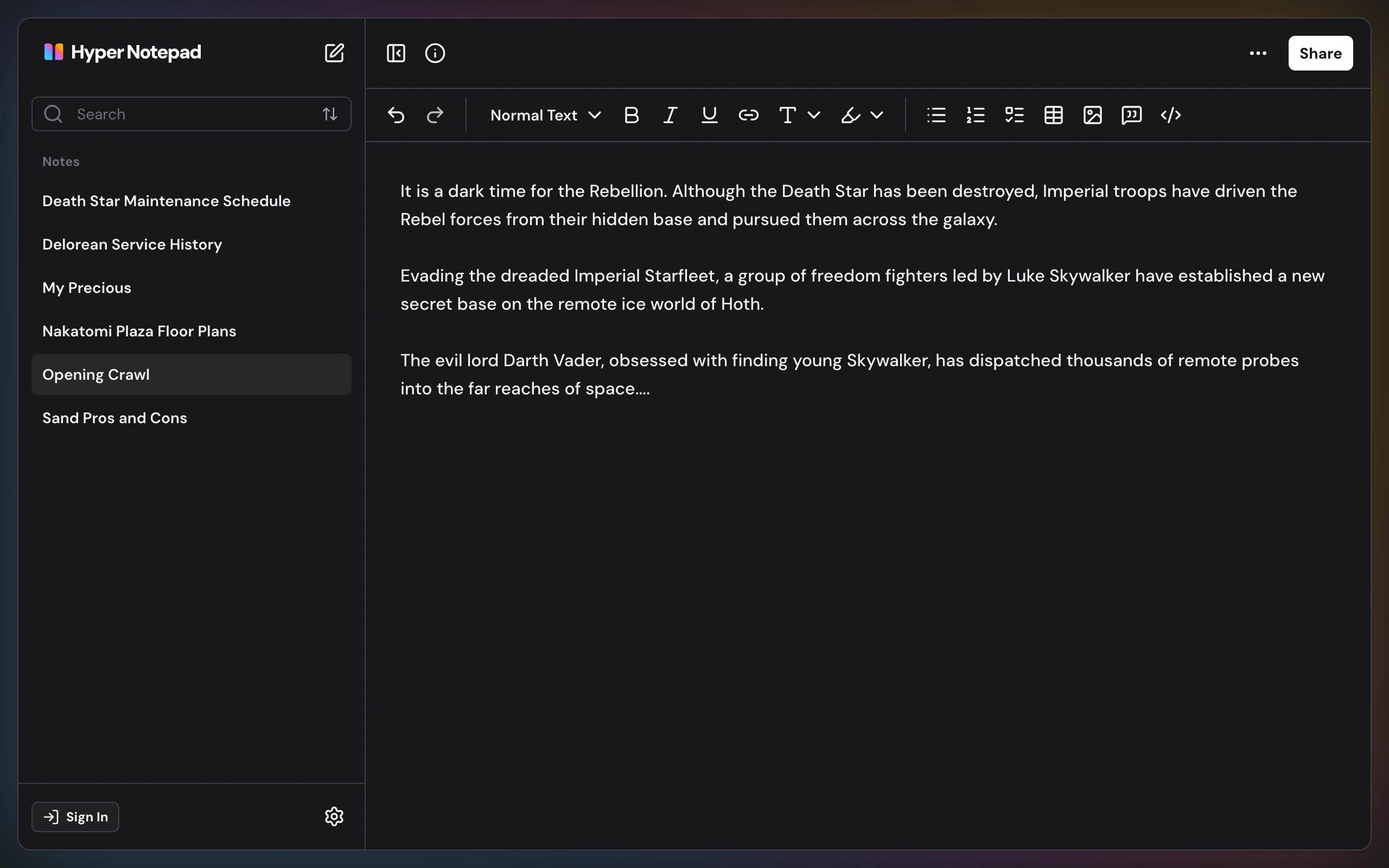
The editor now stretches to full width with a persistent sidebar for managing your notes. Switch between notes without losing your place. It sounds like a small thing, but it completely changes how the app feels to use every day.
Redesigned shared notes
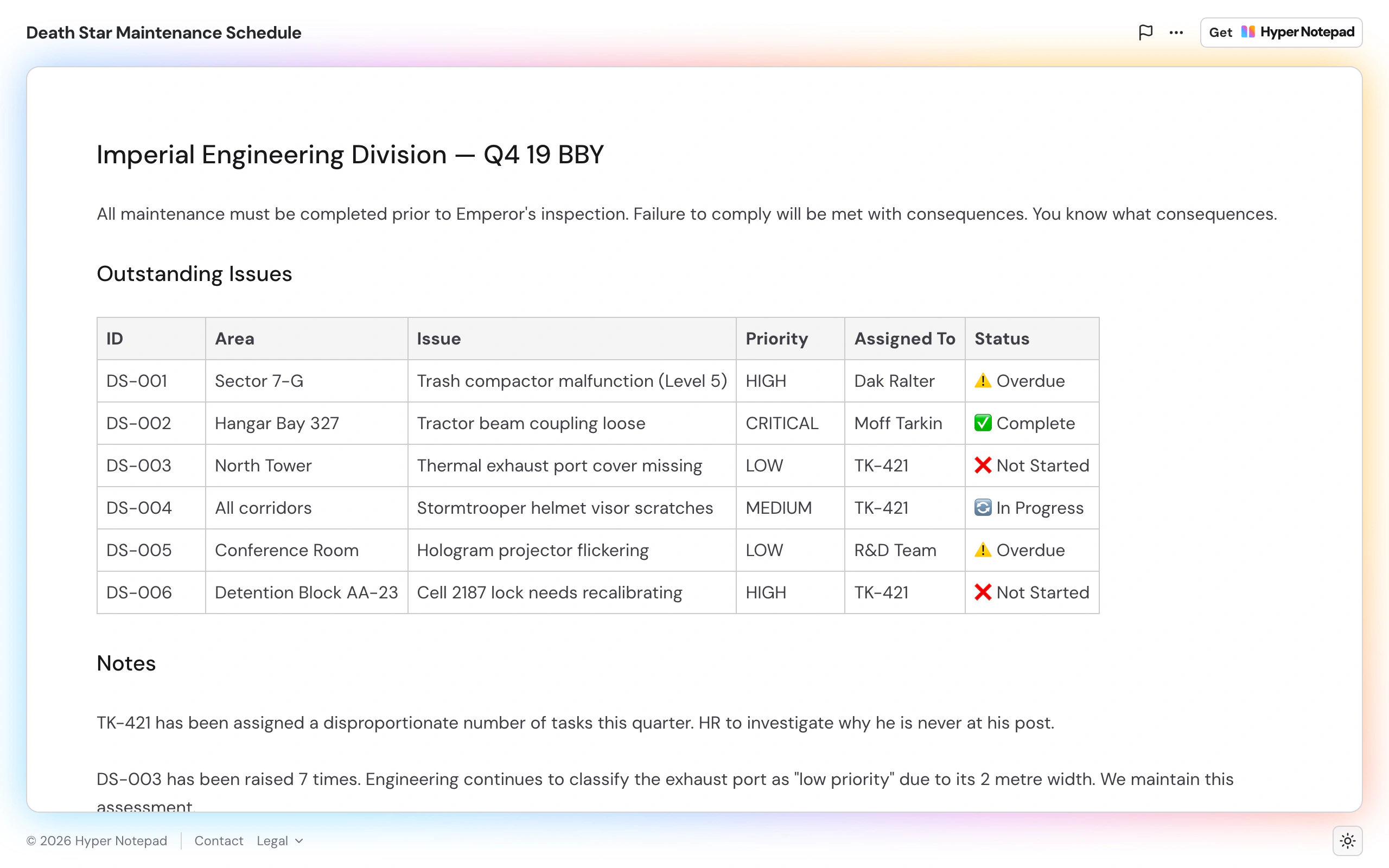
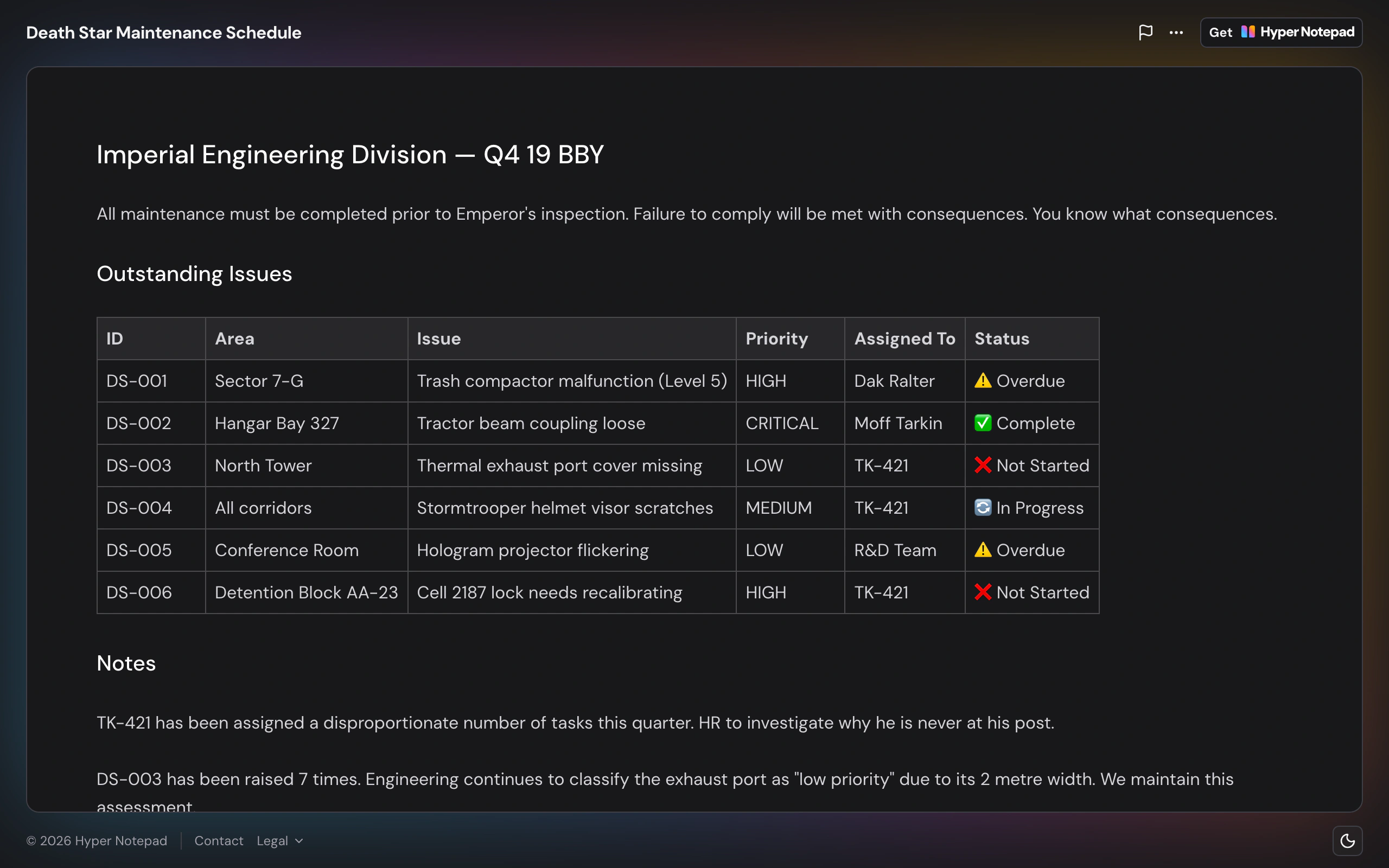
When someone opens a note you've shared, the experience is now completely different. The new layout strips away everything that isn't your content. No sidebar, no toolbar, no clutter. Just your note, front and centre, exactly how it should be.
What's next
3.0 is the foundation for everything coming next. Premium will continue to grow with new features, and the free notepad will keep getting better based on your feedback. I've got a lot of ideas and I can't wait to share them with you.
If you've got suggestions, feedback, or just want to say hello, I'd genuinely love to hear from you. Get in touch via the contact page.
Thanks for using Hyper Notepad. Now go write something great.
Your next note is one click away.
No sign-up, no download, no cost. Just a clean, modern notepad that's ready when you are.